テキストの書式設定
テキストの書式設定は幅広くカスタマイズできます。
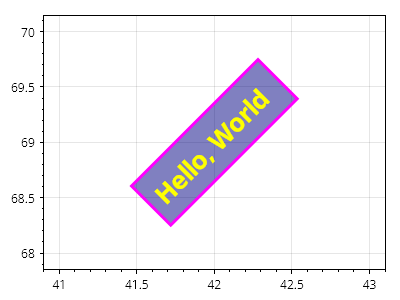
ScottPlot.Plot myPlot = new();

var text = myPlot.Add.Text("こんにちは、世界", 42, 69);
text.LabelFontSize = 26;
text.LabelBold = true;
text.LabelRotation = -45;
text.LabelFontColor = Colors.Yellow;
text.LabelBackgroundColor = Colors.Navy.WithAlpha(.5);
text.LabelBorderColor = Colors.Magenta;
text.LabelBorderWidth = 3;
text.LabelPadding = 10;
text.LabelAlignment = Alignment.MiddleCenter;

myPlot.SavePng("demo.png", 400, 300);
このレシピは、テキストカテゴリに含まれる多数のレシピの 1 つです