ヘアラインモード
ヘアラインモードを使用すると、軸フレーム、目盛り、グリッド線が、スケール係数に関係なく常に 1 ピクセル幅でレンダリングされます。大きなスケール係数を使用している場合に、インタラクティブなプロットをより滑らかに感じられるようにするには、ヘアラインモードを有効にします。
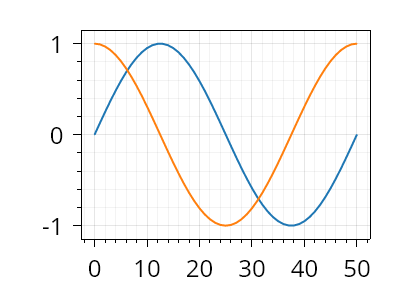
ScottPlot.Plot myPlot = new();

myPlot.ScaleFactor = 2;
myPlot.Add.Signal(Generate.Sin());
myPlot.Add.Signal(Generate.Cos());

myPlot.Axes.Hairline(true);

myPlot.SavePng("demo.png", 400, 300);
このレシピは、プロットのスタイリングカテゴリに含まれる多数のレシピの 1 つです