円
円はプロット上に配置でき、必要に応じてスタイルを設定できます。
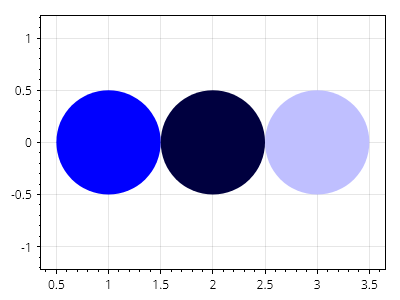
ScottPlot.Plot myPlot = new();

var c1 = myPlot.Add.Circle(1, 0, .5);
var c2 = myPlot.Add.Circle(2, 0, .5);
var c3 = myPlot.Add.Circle(3, 0, .5);

c1.FillStyle.Color = Colors.Blue;
c2.FillStyle.Color = Colors.Blue.Darken(.75);
c3.FillStyle.Color = Colors.Blue.Lighten(.75);

c1.LineWidth = 0;
c2.LineWidth = 0;
c3.LineWidth = 0;

// 円が円のまま維持されるように強制する
ScottPlot.AxisRules.SquareZoomOut squareRule = new(myPlot.Axes.Bottom, myPlot.Axes.Left);
myPlot.Axes.Rules.Add(squareRule);

myPlot.SavePng("demo.png", 400, 300);
このレシピは、図形カテゴリに含まれる多くのレシピの1つです