固定長方形
プロットは、データがピクセル単位で定義された固定長方形の内側に描画されるように配置できます
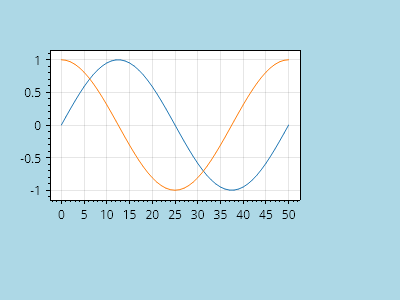
ScottPlot.Plot myPlot = new();

// サンプルデータをプロットに追加する
myPlot.Add.Signal(Generate.Sin(51));
myPlot.Add.Signal(Generate.Cos(51));

// 固定長方形の内側にレンダリングするようにデータ領域を設定する
PixelSize size = new(300, 200);
Pixel offset = new(50, 50);
PixelRect rect = new(size, offset);
myPlot.Layout.Fixed(rect);

// Figure の背景を暗くして、その寸法を確認できるようにする
myPlot.FigureBackground.Color = Colors.LightBlue;
myPlot.DataBackground.Color = Colors.White;

myPlot.SavePng("demo.png", 400, 300);
このレシピは、レイアウトカテゴリにある多数のレシピの 1 つです