色の作成
ScottPlot.Colors は、RGB 値 (0-255)、HTML スタイルの 16 進カラーコード (00-FF)、または System.Drawing.Color オブジェクトから構築できます。
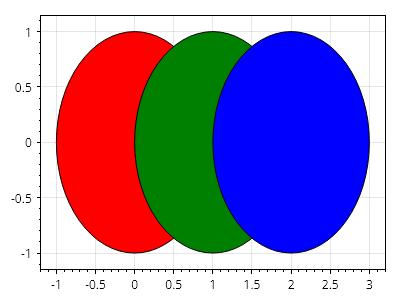
ScottPlot.Plot myPlot = new();

var circle1 = myPlot.Add.Circle(0, 0, 1);
var circle2 = myPlot.Add.Circle(1, 0, 1);
var circle3 = myPlot.Add.Circle(2, 0, 1);

circle1.FillColor = new Color(red: 255, green: 0, blue: 0);
circle2.FillColor = new Color(System.Drawing.Color.Green);
circle3.FillColor = new Color("#0000FF");

// プロット上のすべての円の輪郭スタイルを設定する
foreach (var circle in myPlot.GetPlottables<ScottPlot.Plottables.Ellipse>())
    circle.LineColor = Colors.Black;

myPlot.SavePng("demo.png", 400, 300);
このレシピは、色カテゴリに含まれる多数のレシピの 1 つです