ツールチップの色
ツールチップの境界線と塗りつぶしのスタイルはカスタマイズできます。
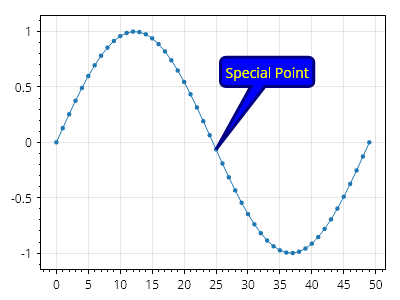
ScottPlot.Plot myPlot = new();

double[] ys = Generate.Sin(50);
var plt = myPlot.Add.Signal(ys);
plt.MaximumMarkerSize = 20;

Coordinates tip = new(25, ys[25]);
Coordinates label = tip.WithDelta(8, .7);
var tooltip = myPlot.Add.Tooltip(tip, "Special Point", label);
tooltip.FillColor = Colors.Blue;
tooltip.LineColor = Colors.Navy;
tooltip.LineWidth = 3;
tooltip.LabelFontColor = Colors.Yellow;

myPlot.SavePng("demo.png", 400, 300);
このレシピは、ツールチップカテゴリにある多数のレシピの 1 つです