円の扇形
円の扇形は、円周上の弧と中心点の間にある円の内側の領域によって形成される2D形状です。
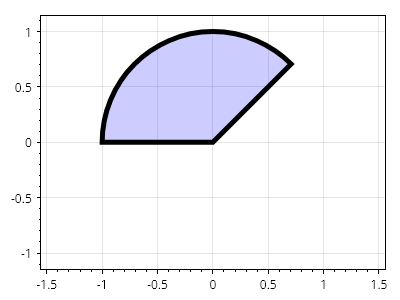
ScottPlot.Plot myPlot = new();

Coordinates center = new(0, 0);
double radius = 1.0;
Angle start = Angle.FromDegrees(45);
Angle sweep = Angle.FromDegrees(135);

var cs = myPlot.Add.CircleSector(center, radius, start, sweep);
cs.FillColor = Colors.Blue.WithAlpha(.2);
cs.LineColor = Colors.Black;
cs.LineWidth = 5;

myPlot.Axes.SquareUnits(); // 円が引き伸ばされないように正方形の単位を使用する

myPlot.SavePng("demo.png", 400, 300);
このレシピは、図形カテゴリに含まれる多数のレシピの1つです