Multiplot グリッド
Multiplot の Layout プロパティは、グリッドレイアウトを実現するためにカスタマイズできます。
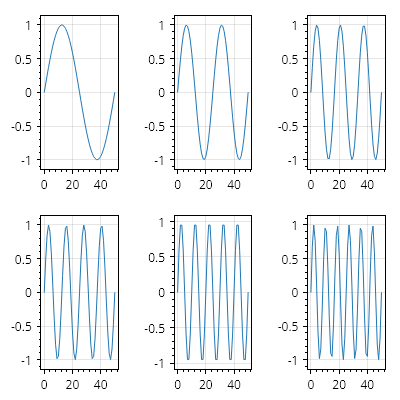
ScottPlot.Multiplot multiplot = new();

// 6 つのサブプロットを持つように multiplot を設定する
multiplot.AddPlots(6);

// 各サブプロットにサンプルデータを追加する
for (int i = 0; i < multiplot.Subplots.Count; i++)
{
    Plot plot = multiplot.GetPlot(i);
    double[] ys = Generate.Sin(oscillations: i + 1);
    plot.Add.Signal(ys);
}

// グリッドレイアウトを使用するように multiplot を設定する
multiplot.Layout = new ScottPlot.MultiplotLayouts.Grid(rows: 2, columns: 3);

multiplot.SavePng("demo.png", 400, 400);
このレシピは、Multiplot カテゴリにある多数のレシピの 1 つです