ダークモードでのグリッドの塗りつぶし色
グリッドとプロットのスタイルをカスタマイズすることで、ダークモードで見栄えのよい効果を実現できます
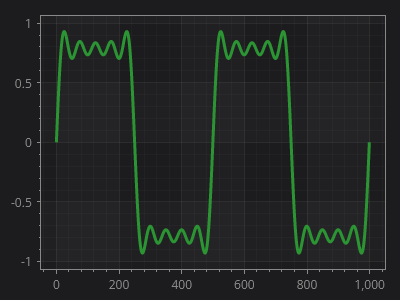
ScottPlot.Plot myPlot = new();

// 緑色のデータ線を追加する
var sig = myPlot.Add.Signal(Generate.SquareWaveFromSines());
sig.LineWidth = 3;
sig.Color = new("#2b9433");
sig.AlwaysUseLowDensityMode = true;

// プロットに暗い背景と明るいテキストを設定する
myPlot.FigureBackground.Color = new("#1c1c1e");
myPlot.Axes.Color(new("#888888"));

// 主要グリッド線の間の領域を塗りつぶす
myPlot.Grid.XAxisStyle.FillColor1 = new Color("#888888").WithAlpha(10);
myPlot.Grid.YAxisStyle.FillColor1 = new Color("#888888").WithAlpha(10);

// グリッド線の色を設定する
myPlot.Grid.XAxisStyle.MajorLineStyle.Color = Colors.White.WithAlpha(15);
myPlot.Grid.YAxisStyle.MajorLineStyle.Color = Colors.White.WithAlpha(15);
myPlot.Grid.XAxisStyle.MinorLineStyle.Color = Colors.White.WithAlpha(5);
myPlot.Grid.YAxisStyle.MinorLineStyle.Color = Colors.White.WithAlpha(5);

// 正の幅を定義して補助グリッド線を有効にする
myPlot.Grid.XAxisStyle.MinorLineStyle.Width = 1;
myPlot.Grid.YAxisStyle.MinorLineStyle.Width = 1;

myPlot.SavePng("demo.png", 400, 300);
このレシピは、グリッドのカスタマイズカテゴリにある多数のレシピの1つです