反転軸
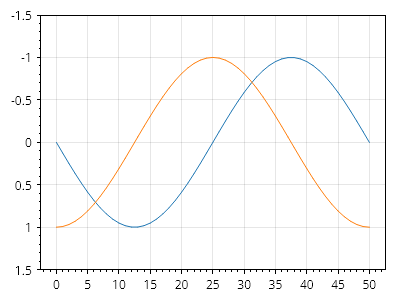
ユーザーは、軸の下限を上限よりも正の値に設定して軸の範囲を設定することで、反転軸上にデータを表示できます。
ScottPlot.Plot myPlot = new();

myPlot.Add.Signal(Generate.Sin());
myPlot.Add.Signal(Generate.Cos());

myPlot.Axes.SetLimitsY(bottom: 1.5, top: -1.5);

myPlot.SavePng("demo.png", 400, 300);
このレシピは、軸と目盛りカテゴリに含まれる多数のレシピの 1 つです